
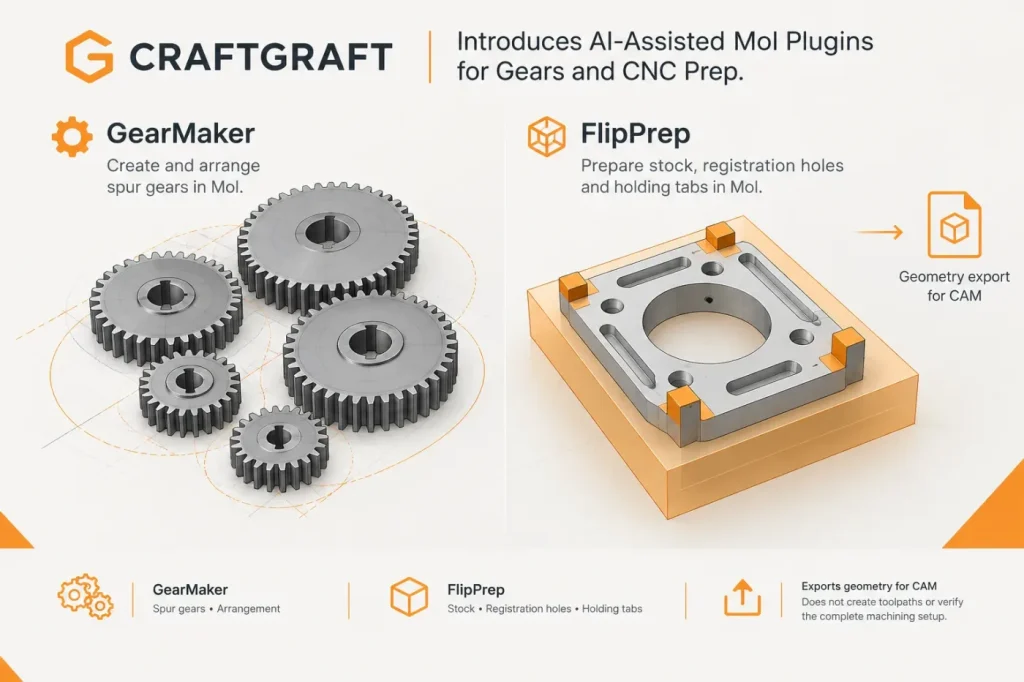

Two new AI-assisted plugins extend MoI into gear layout and double-sided CNC preparation. In its original announcement, CRAFTGRAFT describes GearMaker, which creates and arranges spur gears, and FlipPrep, which brings stock, registration features and holding tabs into the model-preparation workflow. The practical change is that users can prepare more of this geometry inside MoI before handing it to CAM—not that MoI becomes a CAM system.
GearMaker generates spur gears from parameters including module, tooth count, pressure angle, thickness, shaft-hole diameter and backlash. Users can add a meshing gear, preview linked rotation during setup, and build shaft or base geometry around selected hole positions. When a connecting gear is added, it inherits the first gear’s module and pressure angle; the plugin calculates the center distance and tooth orientation from the second gear’s tooth count. The linked rotation is only a setup preview: after confirmation, the gears are ordinary MoI objects and their rotational relationship is not retained. CRAFTGRAFT’s plugin page also lists pocketing and CNC end mill compensation among GearMaker’s other features. The author says the profile follows general involute theory, but actual meshing and dimensional accuracy have not yet been verified.
A preview of linked rotation is useful for layout, but it does not validate a functional gear pair. I would not approve a generated pair for functional use on the preview alone. Before approval, I would check the calculated center distance, the specified backlash and whether the teeth interfere, against the design requirements; if any of those checks fail, the pair is not ready for use. CRAFTGRAFT reports that actual meshing and dimensional accuracy have not yet been verified.
FlipPrep addresses a different handoff problem. CRAFTGRAFT describes developing it after finding that tab positions differed between the front and back sides in Makera Studio, and that manual placement did not work as expected. The plugin lets users define material dimensions, arrange dowel-pin holes for registration after flipping a workpiece, and place holding tabs to keep a part attached to surrounding stock during machining. Tabs can be adjusted in position and shape, and the prepared material, model and tabs can be exported in selected combinations as STEP or DXF. DXF output is limited to 2D outlines; machining depth and toolpaths remain CAM tasks.
Putting stock, registration features and tabs into the same preparation step makes their intended relationship easier to inspect before export. It does not ensure that CAM uses the same flip axis or origin. I would not treat the exported layout as registered until I compare the dowel-hole positions and flip axis with the CAM setup for both sides. If either does not match, the registration features cannot ensure that the two operations align.
GearMaker’s gear accuracy is unverified. FlipPrep’s CNC check is a simplified check for possible uncut areas, not a full simulation of tool access, holders, toolpaths or workholding strength. An apparently clear model therefore does not establish that a tool can reach every surface or that tabs will hold the part safely. CRAFTGRAFT says the plugins were developed with AI assistance and adjusted through iterative checks, but reports that actual machining validation is still needed. Use them as geometry-preparation tools, and verify toolpaths and workholding in CAM before machining.
CRAFTGRAFT’s announcement gives no minimum or supported MoI version requirement. Both plugin pages show operation in Mac MoI v5 beta; compatibility with other versions is not established by those examples.
Sources
- Trying to Create Moi3D Plugins with AI | Gear Generation and CNC Double-Sided Machining Data Output — CRAFTGRAFT / WORKLOG
- GearMaker — MoI Plugin — CRAFTGRAFT
- FlipPrep — MoI Plugin — CRAFTGRAFT