

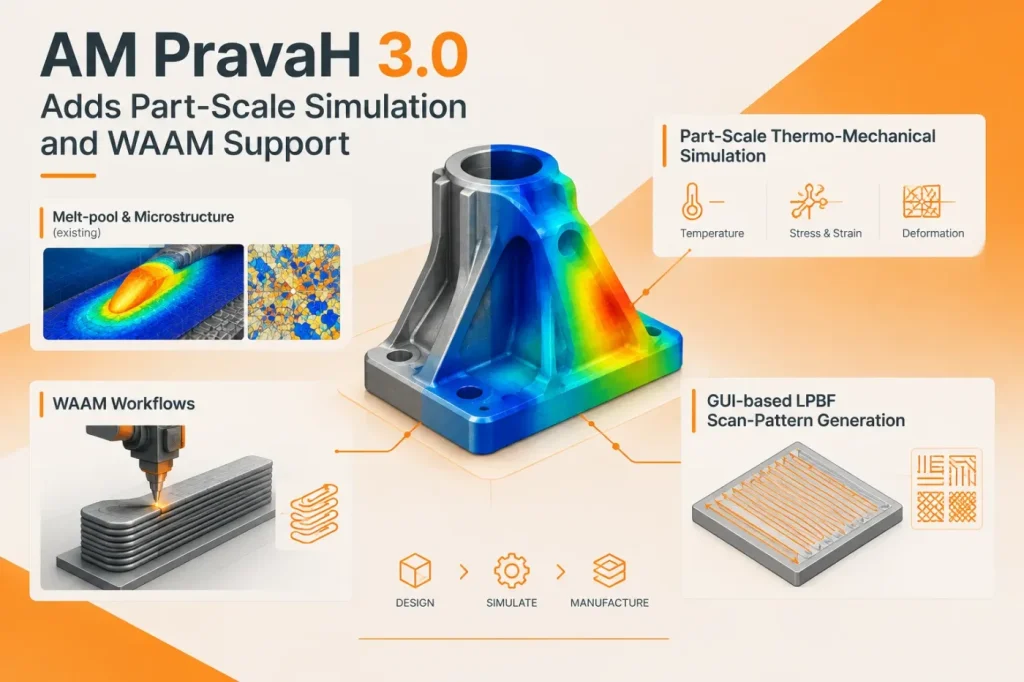

AM PravaH 3.0 adds part-scale thermo-mechanical simulation to Paanduv Applications’ metal additive manufacturing software, extending its scope beyond melt-pool and microstructure analysis. The release also introduces wire arc additive manufacturing (WAAM) workflows and graphical tools for defining laser powder bed fusion (LPBF) scan patterns. The release moves analysis from local process behavior toward estimating thermal and mechanical effects across a component or build.
The new Part-Scale module accepts STEP geometry, meshes it and represents the build layer by layer. Users can choose between a simplified flash-heating approach, which briefly applies heat to a whole layer, and a moving heat source based on an ellipsoidal Goldak model. The thermal calculation supplies temperatures to a mechanical simulation that estimates deformation and residual stresses.
That creates a route from CAD geometry to build-scale analysis without requiring the part to be described only as a sequence of local melt-pool events. But the input path is specific: the announcement describes STEP import, not a live connection to a CAD system or a particular CAD application. Teams should therefore check how geometry preparation, meshing and any required model changes fit their current design-to-simulation workflow.
I see the part-scale module as the release’s most consequential addition, because whole-component distortion is a different engineering question from melt-pool behavior. Still, a predicted stress or deformation field is not, on its own, evidence that a build will meet tolerances. The release provides no benchmark figures or experimental validation results. My decision rule would be to withhold production or qualification reliance until predictions have been compared with measurements from representative builds and the material properties, process inputs and boundary conditions have been documented.
For WAAM, AM PravaH 3.0 links melt-pool calculations with layer-by-layer thermal and mechanical analysis. The announced inputs include deposition paths, material properties, wire-feed rate, travel speed, current and voltage; outputs include temperature history, heat accumulation, cooling rates, deformation and residual stress. That may help teams assess deposition strategies before fabrication, but the vendor’s stated benefits—such as less rework and shorter development cycles—are intended outcomes, not independently demonstrated results in the release.
LPBF users can create scan patterns in the interface, including line, circular, rectangular, unidirectional, bidirectional and zigzag patterns. The announcement also identifies settings such as hatch spacing, layer thickness and cooling time. The interface brings scan-pattern definition into the same software environment as process simulation, rather than making pattern generation a separate step. Users should confirm that the available pattern controls represent the strategies and machine constraints relevant to their own workflow.
I would treat an LPBF pattern simulation as representative only when its scan strategy and settings match what the target machine supports; a mismatch could make the simulated heat input and resulting analysis unrepresentative of the intended build. Check the machine’s supported scan settings against the pattern options and values configured in AM PravaH before using the simulation to guide that build.
The vendor says version 3.0 is available for Windows and Linux, with a packaged Ubuntu 20.04 installation; it lists teaching, research and commercial licensing. Paanduv’s manual also identifies LPBF, wire laser additive manufacturing (WLAM) and WAAM workflows, alongside part-scale tools and utilities. For teams considering adoption, check host compatibility (Windows or Linux, including the packaged Ubuntu 20.04 option), process coverage for the required LPBF, WLAM or WAAM workflow, and whether the materials, machine settings and validation approach needed for the intended analysis are supported.
Sources
- AM PravaH v3.0 Introduces Part-Scale Thermo-Mechanical Simulation for Metal Additive Manufacturing — DailyCADCAM / Paanduv Applications
- AM PravaH User Manual — Paanduv Applications
